
Hyundai Kona: Lighting System / Rear Combination Lamp Repair procedures
| Removal |
| 1. |
Disconnect the negative (-) battery terminal.
|
| 2. |
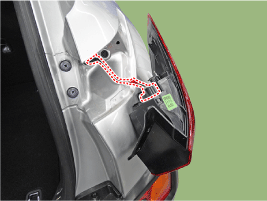
Remove the outside rear combination lamp assembly after disconnecting
the connector.
|
| 3. |
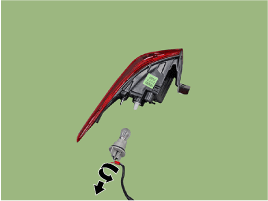
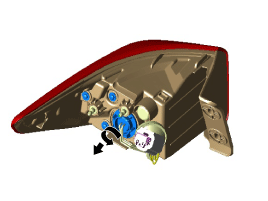
Remove the bulb (A) after turning it in the counter clock-wise direction.
[LED Type]
[Bulb Type]
|
| 4. |
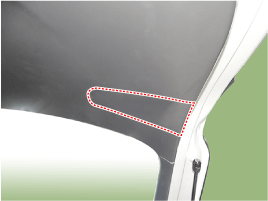
Remove the inside rear combination lamp cover.
|
| 5. |
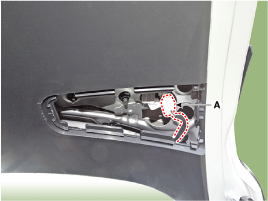
Disconnect the inside rear combination lamp connector (A) after
removing the rear combination lamp cover.
|
| 6. |
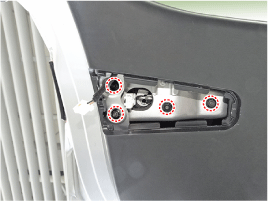
Remove the inside rear combination lamp assembly after loosening
the nuts.
|
| 7. |
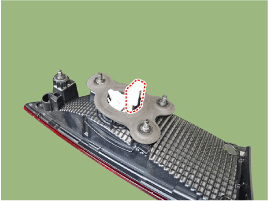
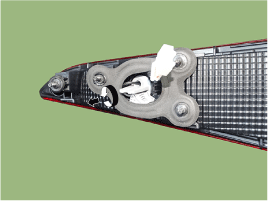
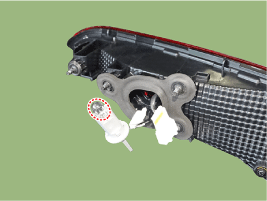
If it is necessary to replace the bulb, remove the bulb after removing
the tailgate cover.
|
| Installation |
| 1. |
Install the inside combination lamp assembly after assembling the
bulb.
|
| 2. |
Install the rear combination lamp assembly after assembling the
bulbs and connecting the lamp connector.
|
 High Mounted Stop Lamp Repair procedures
Removal
1.
Disconnect the negative (-) battery terminal.
2.
Remove the spoiler assembly.
(Refer to Body - &quo ...

Other information:
Hyundai Kona (OS) 2018-2026 Owners Manual: Dual clutch transmission operation
The dual clutch transmission has seven forward speeds and one reverse speed.
The individual speeds are selected automatically when the shift lever is in the
D (Drive) position.
The dual clutch transmission can be thought of as an automatically shifting
manual transmission. It gives the drivin ...
Hyundai Kona (OS) 2018-2026 Owners Manual: Forward Collision-avoidance Assist (FCA) system-sensor fusion type (Front radar
+ Front camera)
The Forward Collision-avoidance Assist (FCA) system is designed to help detect
and monitor the vehicle ahead or detect a pedestrian (if equipped) in the roadway
through radar signals and camera recognition to warn the driver that a collision
is imminent, and if necessary, apply emergency braking. ...
