
Hyundai Kona: Front Door / Front Door Outside Handle Repair procedures
Hyundai Kona (OS) 2018-2026 Service Manual / Body (Interior and Exterior) / Front Door / Front Door Outside Handle Repair procedures
| Replacement |
| 1. |
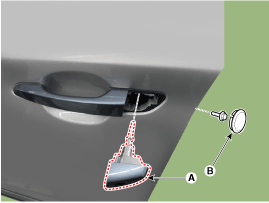
Remove the plug hole (B).
|
| 2. |
After loosening the mounting bolt, remove the front door outside handle
cover (A).
|
| 3. |
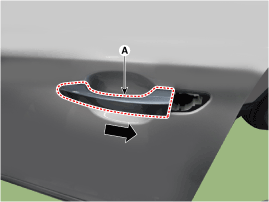
Remove the front door outside handle (A) by sliding it forward.
|
| 4. |
To install, reverse removal procedure.
|

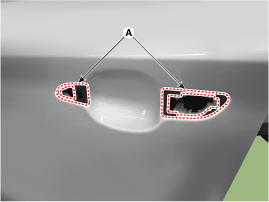
 Front Door Outside Handle Components and components location
Component Location
1. Front door outside handle
...
 Front Door Latch Components and components location
Component Location
1. Front door latch
...
Other information:
Hyundai Kona (OS) 2018-2026 Service Manual: Components and components location
Component Location
1. BCM (Body Control Module)
2. Ultrasonic sensor
•
Parking Distance Warning- Revers control uni ...
Hyundai Kona (OS) 2018-2026 Service Manual: Rear Door Power Window Regulator Components and components location
Component Location
1. Rear door power window regulator
...
© 2018-2026 www.hkona.com
