
Hyundai Kona: Front Axle Assembly / Front Hub / Knuckle / Tone Wheel Repair procedures
| Removal |
| 1. |
Loosen the wheel nuts slightly.
Raise the vehicle, and make sure it is securely supported.
|
| 2. |
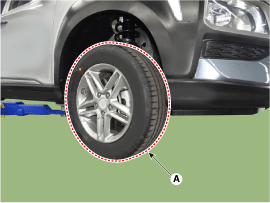
Remove the front wheel and tire (A) from the front hub.
|

| 3. |
Remove the front brake caliper.
(Refer to Brake System - "Front Disc Brake")
|
| 4. |
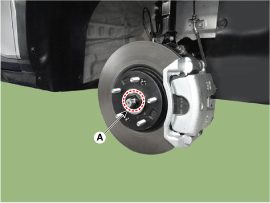
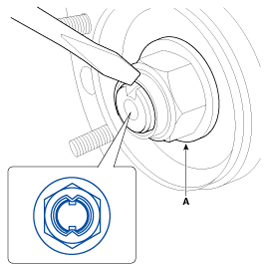
Loosen the driveshaft caulking nut (A).
|
| 5. |
Remove the tie rod end ball joint.
|
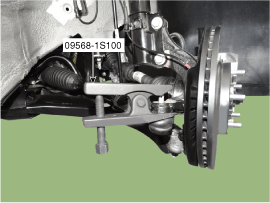
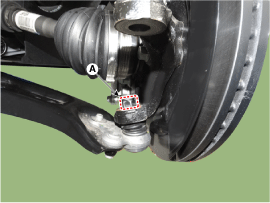
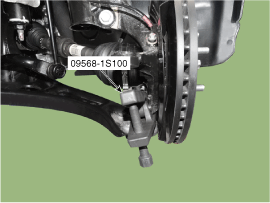
| 6. |
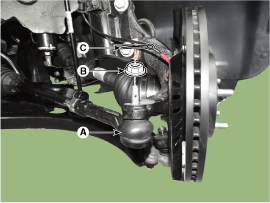
Loosen the lower arm nut (A) and then remove the lower arm ball joint
by using SST(09568-1S100).
|
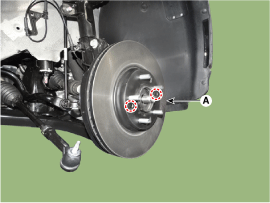
| 7. |
Loosen the screw and then remove the front disc (A).
|
| 8. |
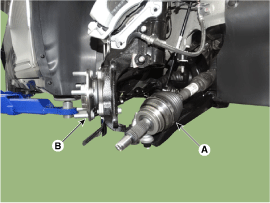
Remove the driveshaft (A) from the front axle assembly (B).
|
| 9. |
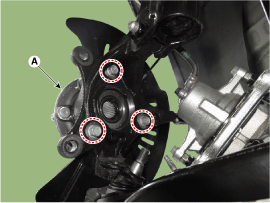
Remove the hub bearing (A) from the front knuckle.
|
| 10. |
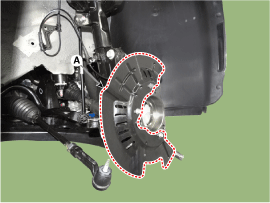
Loosen the mounting bolts and then remove the dust cover (A).
|
| 11. |
Loosen the bolt and then remove the wheel speed sensor (A).
|
| 12. |
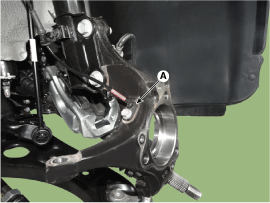
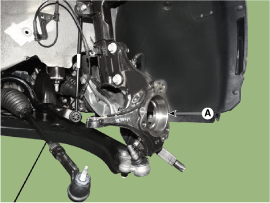
Loosen the strut mounting bolts, nuts and then remove the knuckle assembly
(A).
|
| Inspection |
| 1. |
Check the hub for cracks and the splines for wear.
|
| 2. |
Check the brake disc for scoring and damage.
|
| 3. |
Check the knuckle for cracks.
|
| 4. |
Check the bearing for cracks or damage.
|
| Installation |
| 1. |
Install in the reverse order of removal.
|
| 2. |
Check the alignment.
(Refer to Suspension System - "Alingment")
|
 Front Hub / Knuckle / Tone Wheel Components and components location
Components
1. Disc brake
2. Hub bearing
3. Dust cover
4. Front knuckle
...

Other information:
Hyundai Kona (OS) 2018-2026 Service Manual: RCV Control Solenoid Valve Description and operation
Description
RCV (Recirculation Valve) Control Solenoid Valve is installed on the cooling
pan motor top and operates the RCV actuator which controls the by-pass passage
of the turbo-charger compressor.
When the throttle valve is closed during engine running [Tip-out], crash ...
Hyundai Kona (OS) 2018-2026 Owners Manual: Indicator lights
When the ignition switch is in the ON position, the ESC indicator light illuminates,
then goes off if the ESC system is operating normally.
The ESC indicator light blinks whenever the ESC is operating.
If the ESC indicator light stays on, your vehicle may have a malfunction with
the ESC system. W ...
