
Hyundai Kona: Motor Driven Power Steering / Steering Gear Box Repair procedures
| Removal |
| 1. |
Loosen the wheel nuts slightly.
|
| 2. |
Raise the vehicle, and make sure it is securely supported.
|
| 3. |
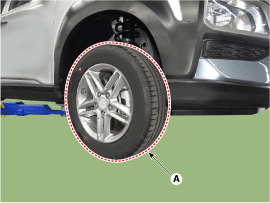
Remove the front wheel and tire (A) from front hub.
|

| 4. |
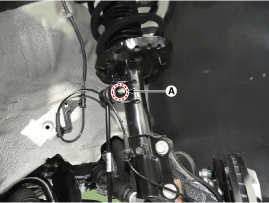
Disconnect the stabilizer link with the front strut assembly after loosening
the nut (A).
|
| 5. |
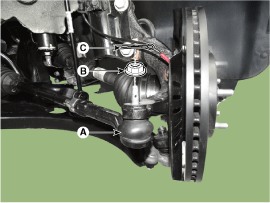
Remove the tie rod end ball joint.
|
| 6. |
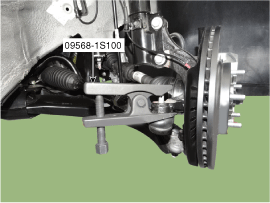
Loosen the lower arm nut (A) and then remove the lower arm ball joint
by using SST(09568-1S100).
|
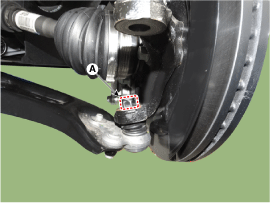
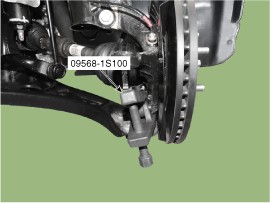
| 7. |
Loosen the bolt (A) and then disconnect the universal joint assembly
from the pinion of the steering gear box.
|
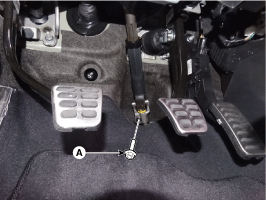
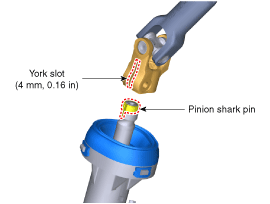
| 8. |
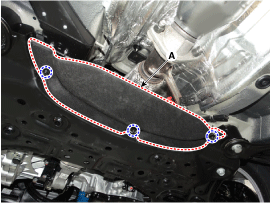
Remove the heated protector (A).
|
| 9. |
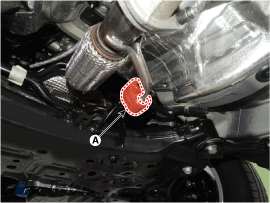
Remove the muffler rubber hanger (A).
|
| 10. |
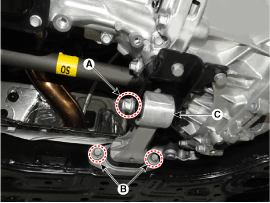
Remove the roll rod bracket (C) by loosening the bolt (A), (B).
|
| 11. |
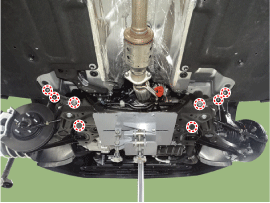
Remove the subframe by loosening the mounting bolts and nuts.
|

| 12. |
Loosen the mounting bolts and then remove the stabilizer bar (A).
|
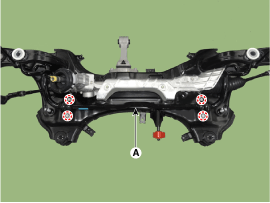
| 13. |
Remove the heated protector (A).
|
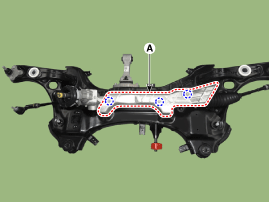
| 14. |
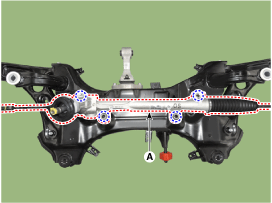
Remove the steering gearbox (A) from the front sub frame by loosening
the mounting bolts.
|
| Replacement |
|
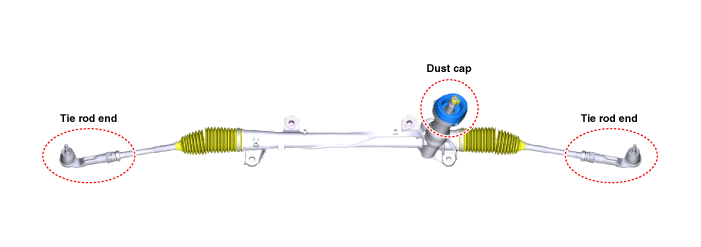
| 1. |
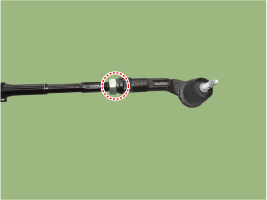
Remove the tie rod end after loosening the nut.
|
| 2. |
Replace with new parts.
|
| 3. |
Check the alignment.
(Refer to Tires / Wheels - "Alignment")
|
| Installation |
| 1. |
Install in the reverse order of removal.
|
| 2. |
Check the alignment.
(Refer to Tires / Wheels - "Alignment")
|
 MDPS Assembly Repair procedures
Replacement
1.
Turn the ignition switch OFF and disconnect the battery negative (-)
cable.
2.
Turn the steering wheel so that the fron ...
 Restraint
...
Other information:
Hyundai Kona (OS) 2018-2026 Owners Manual: Interior general precautions
Prevent chemicals such as perfume, cosmetic oil, sun cream, hand cleaner and
air freshener from contacting the interior parts because they may cause damage or
discoloration. If they do contact the interior parts, wipe them off immediately.
See the instructions that follow for the proper way to cle ...
Hyundai Kona (OS) 2018-2026 Service Manual: Specifications
Specifications
Items
Specifications
Rated voltage
5V
Load
Max. 1mA (Relay load)
Illuminations (LUX)
50
1.22 ± 0.27V
...
