
Hyundai Kona: Cruise Control System / Cruise Control Switch Repair procedures
Hyundai Kona (OS) 2018-2026 Service Manual / Engine Electrical System / Cruise Control System / Cruise Control Switch Repair procedures
| Removal |
| 1. |
Disconnect the negative (-) battery terminal.
|
| 2. |
Remove the steering wheel assembly.
(Refer to Steering System - "Steering Wheel")
|
| 3. |
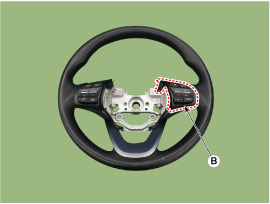
Remove the screws from the steering back cover (A).
|
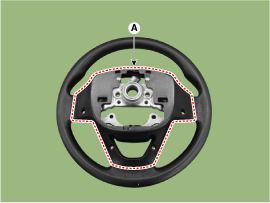
| 4. |
Remove the steering remote control connector (A).
|
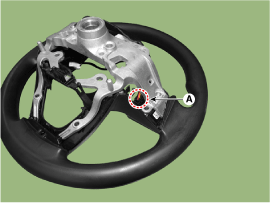
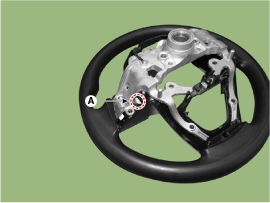
| 5. |
Remove the steering remote control (A) after loosening the screws.
|
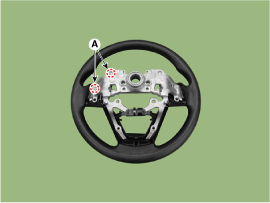
| Installation |
| 1. |
Install the steering wheel remote controll and cover after connecting
the connector.
|
| 2. |
Install the steering wheel and driver airbag module.
|
| 3. |
Connect the negative (-) battery terminal.
|
| Inspection |
| 1. |
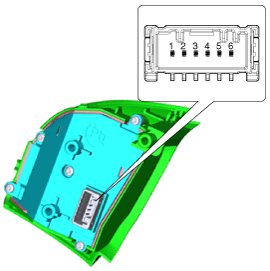
Disconnect the cruise control switch connector from the control switch.
|
| 2. |
Measure resistance between terminals on the control switch when each
function switch is ON (switch is depressed).
|
 Cruise Control Switch Schematic diagrams
Circuit Diagram
[Trip + Cruise]
...

Other information:
Hyundai Kona (OS) 2018-2026 Service Manual: DC/DC Converter Repair procedures
Removal
[200W]
1.
Turn the ignition switch OFF and disconnect the battery negative (-)
terminal.
2.
Remove the crash pad lower panel.
(Refer to Body - "Crash Pad Lower Panel")
3.
Disc ...
Hyundai Kona (OS) 2018-2026 Service Manual: Heated Steering wheel Schematic diagrams
Schematic Digram
Terminal Function
Pin
Function
C22
Ignition 2_Heated handle power
C11
Heated handle
A21
NTC (-)
B15
NTC (+)
...
© 2018-2026 www.hkona.com
